AR Accounts List
The AR Accounts List report displays a list of AR accounts.
Perform the following steps to generate the report:
Navigate to Reports ➜ All Reports ➜ AR Accounts List (under Accounting).
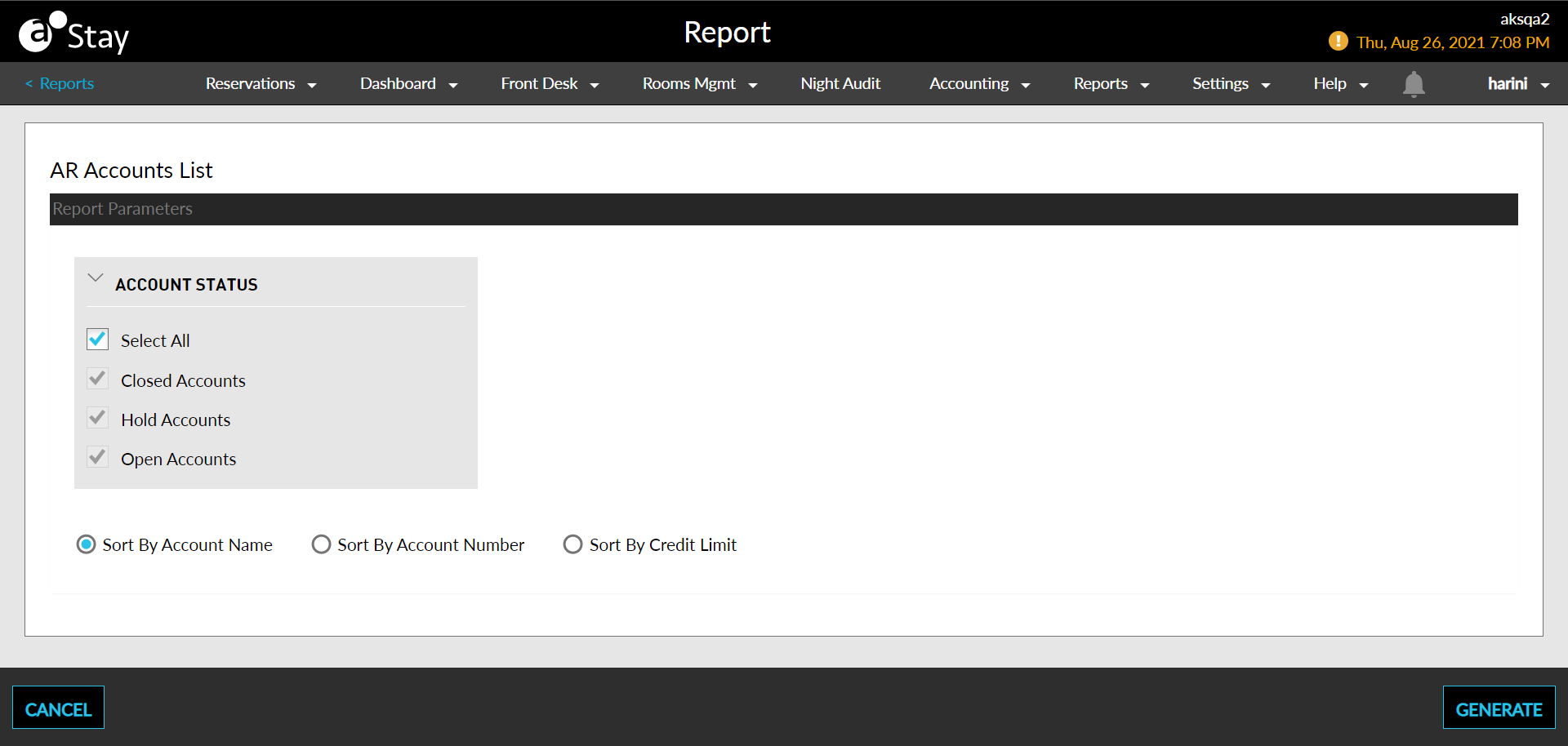
Select an Account Status field to display on the report:
|
Field |
Description |
|---|---|
|
Select All |
Includes all account statuses. |
|
Closed Accounts |
Closed accounts are no longer active. For example, a reservation or group that has departed, checked out, cancelled, or is a no show has a closed account. Alternatively, an A/R account that is no longer open and available for use is considered a closed account. |
|
Open Accounts |
Open accounts are no longer active. For example, a reservation or group that is In House has open accounts. Alternatively, an A/R account that is active and available for use is considered an open account. |
Choose which sorting options to include in the report:
|
Field |
Description |
|---|---|
|
Sort by by Account Name |
Sorts the report alphabetically by account name. |
|
Sort by Account Number |
Sorts the report alphanumerically by account number. |
|
Sort by Credit Limit |
Sort the report numerically by credit limit. |
Click Generate. The report with the selected account status appears.
Click Print to send a copy of the report to the printer.
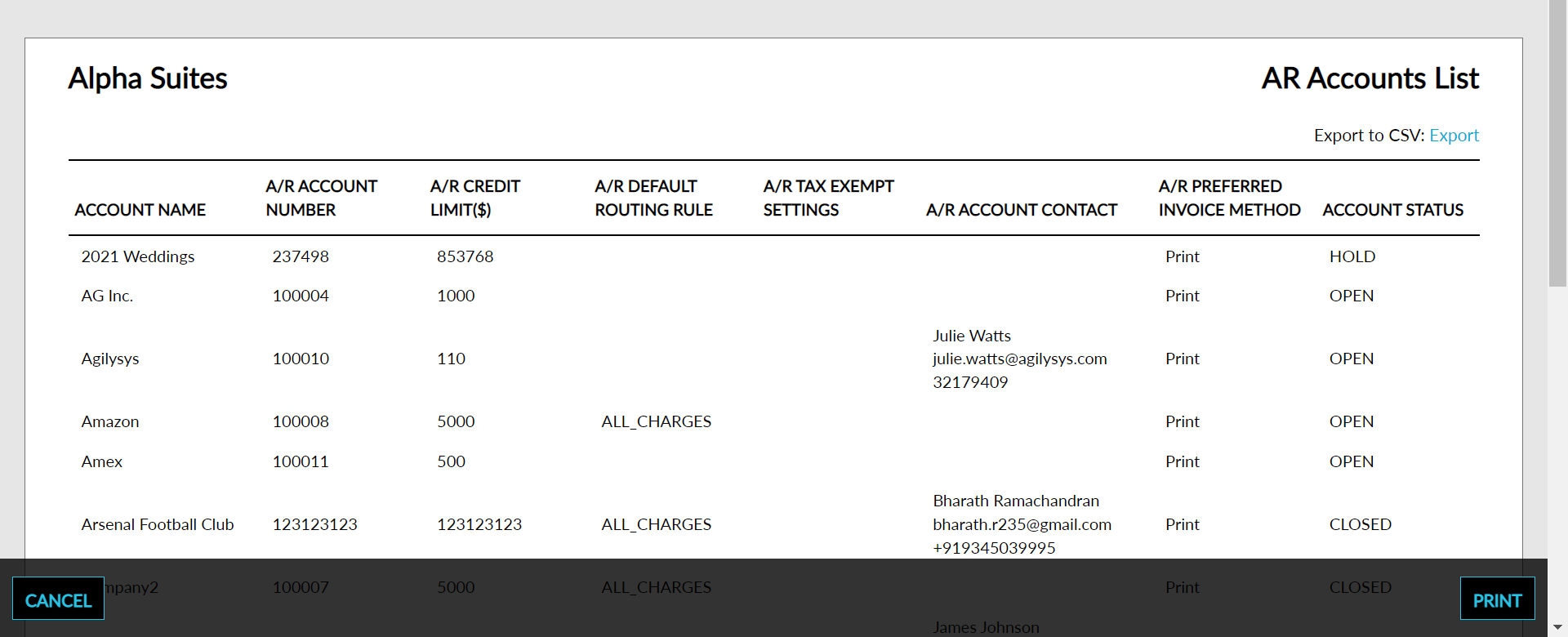
Sample Report
Report Parameters
This report displays the following parameters:
|
Field |
Description |
|---|---|
|
Account Name |
The name on the account. |
|
A/R Account Number |
The AR account number. |
|
A/R Credit Limit |
The limit of credit for the account. |
|
A/R Default Routing Rule |
Which charges apply to the group account and how they should be routed within the group. |
|
A/R Tax Exempt Settings |
This will show the types of taxes that are set as tax exempt. For example, room tax, sales tax. |
|
A/R Account Contact |
The customer contact |
|
A/R Preferred Invoice Method |
This shows the preferred method of how the account is invoiced. These options are either print or email invoice. |
|
Account Status |
Displays open, closed, or both. |